When I think about creating a ChatGPT ads, one thing that always comes to mind is how difficult it can be to explain a product through an image. A customer may need to see product angles understand how something works or imagine how it fits into everyday life before deciding to take the next step.
That is where visual variety can make a difference.
OpenAI is now introducing a multi‑image ad format in ChatGPT Ads Manager giving advertisers another way to present their products and services. The format became available as a beta for standard campaigns.
Of relying on just one image advertisers can upload several images within the same ad. This gives businesses room to communicate what they offer and show different aspects of a product or service.
New Multi-Image Ad Format
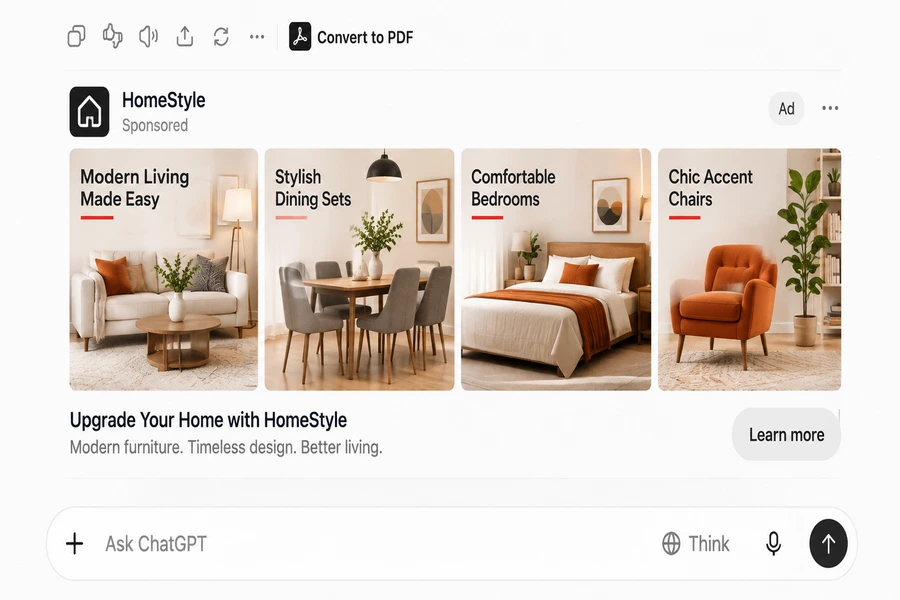
Previously advertisers creating an image ad could use a single image to support their message. With the multi‑image option they can upload four to six square images in one ad.
For example, imagine a business promoting a travel backpack. Of showing only the front view the advertiser can use multiple images to highlight its storage compartments, material, available colours and how it looks when used during a trip.
All the images belong to the ad and direct users to one destination URL. At present the available call‑to‑action is Learn more.
This gives advertisers a way to tell a more complete visual story without creating separate ads for every product image.
How Can Advertisers Create Multi-Image Ads?
The new format can be selected directly in ChatGPT Ads Manager when creating or editing a standard campaign.
Here is the general process:
- Sign in to ChatGPT Ads Manager.
- Create a new campaign or open an existing campaign.
- Choose an available campaign objective – Reach, Clicks, or Conversions.
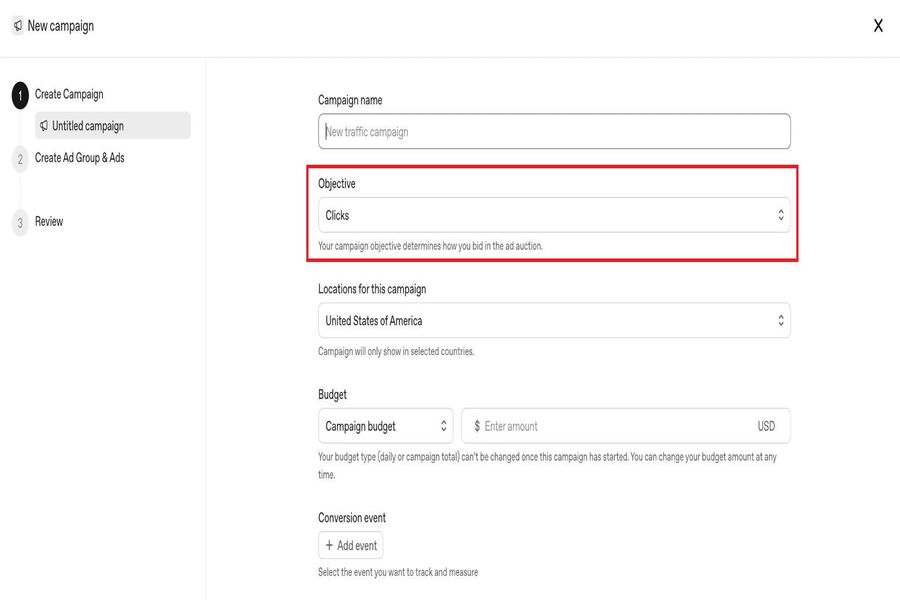
4. Under Ad format select Multiple images.
5. Upload four to six square images, each with a 1:1 aspect ratio.
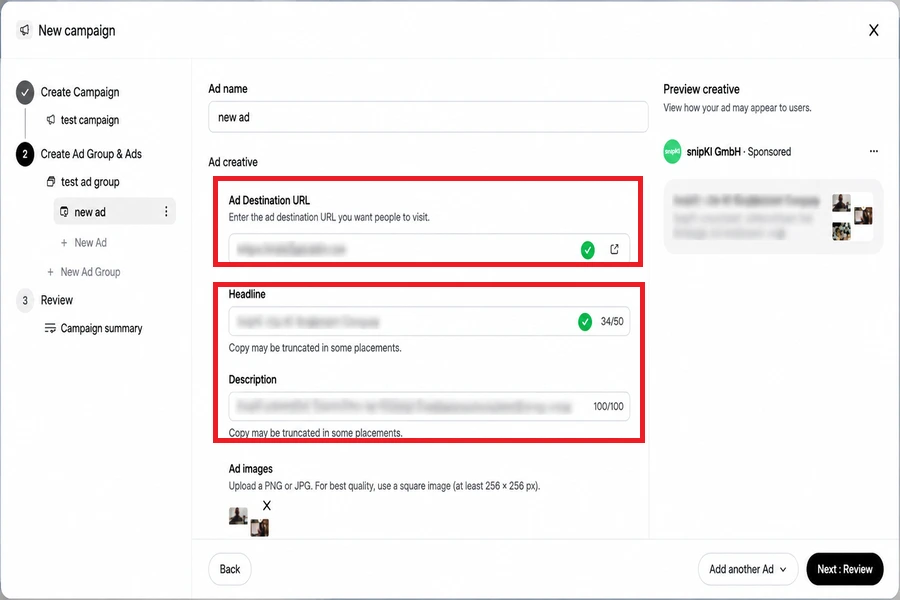
6. Write advertisement headline and description.
7. Enter the destination URL and review the ad before submitting it.
Advertisers should make sure that the images are clear, relevant and consistent with the message in the ad. Each image is clickable. All images lead to the same destination page.
Which Campaign Objectives Support This Format?
The multi‑image format is currently available for campaigns with these objectives:
- Reach – Help more relevant users see the advertisement.
- Clicks – Encourage users to visit the advertiser’s website.
- Conversions – Optimize campaign delivery toward a supported conversion event.
The format is in beta so advertisers should check their Ads Manager account for availability and any changes to the setup process.
Why Could This Matter to Advertisers?
When I look at this update from an advertiser’s perspective the biggest advantage is the opportunity to communicate more through ChatGPT Ads visuals.
A single image may not always explain everything a potential customer wants to know. A collection of images can show product details different uses, features or experiences in one place.
For example:
- An online clothing store can display views or ways to style a product.
- A travel company can point out places to go places to stay and things to do.
- A furniture brand can present a product from angles and within a room setting.
However, using images does not automatically mean better campaign performance. The images should support the message provide useful information and give users a clear reason to visit the landing page.
What Should Advertisers Keep in Mind?
Before using the format, advertisers should pay attention to a few practical details.
Image quality – Use four to six images with a 1:1 aspect ratio. Choose visuals that are easy to understand.
Consistent messaging – Each image should add something rather than repeating the same visual idea.
Landing page relevance – All images lead to the destination URL so the landing page should match the overall message of the ad.
Call-to-action – The current CTA option, for multi‑image ads is Learn more.
Ad policies – Images, headlines, descriptions and landing pages must follow OpenAI’s advertising policies.
Looking for the advertising partner? Let’s discuss how we can grow your campaigns together.
Chat on WhatsApp +91 94423 64284