Imagine someone asking ChatGPT to recommend a marketing agency. To compare products. To find a service provider. ChatGPT gives suggestions. The person starts checking out the businesses mentioned in the answer.
Have you ever thought about how businesses can control what ChatGPT shows about them?
OpenAI is now offering a solution for that.
On November 10 2026 OpenAI announced the Business Hub in ChatGPT. This designed to help businesses manage their presence in the AI assistant. The platform lets businesses claim their profiles update their information and even see how people discover them through ChatGPT.
The new experience includes two parts one is Business Hub platform and a new feature called Business Agents.
Let’s take a look at what businesses can do with these tools.
Businesses Can Now Claim Their Presence in ChatGPT
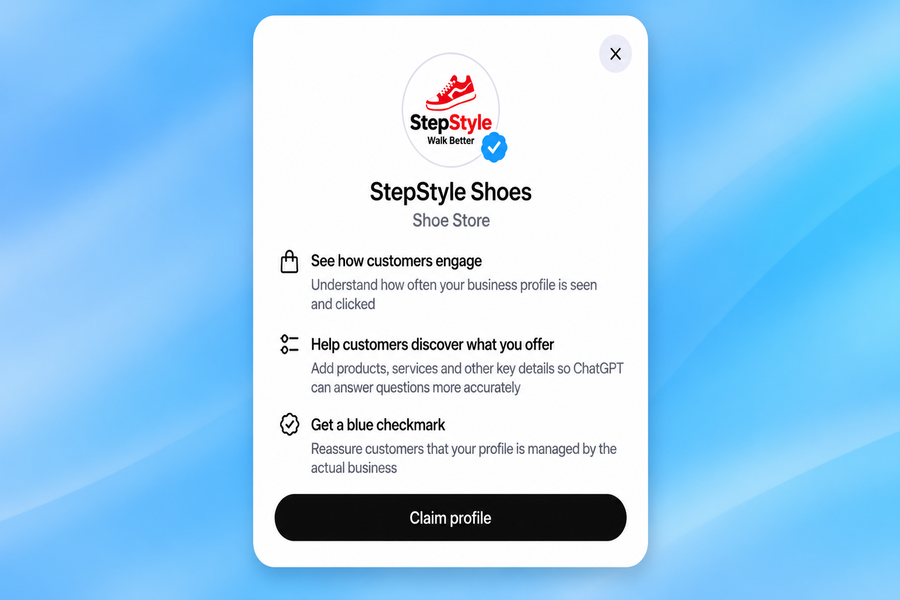
One of the exciting parts of this update is that businesses no longer have to depend only on the data ChatGPT finds on its own.
Through the Business Hub eligible businesses can now claim their profiles. Prove they are the real owners. After verification they can update details about their business. This includes things like business name, address, contact information, website and descriptions of their products and services.
For retailers OpenAI allows product feeds. These feeds include up-to-date details like prices and availability. That means when someone asks ChatGPT about a product the response can show information from the business.
For example, if a person asks ChatGPT about a laptop having updated pricing and stock details helps the person make a decision. It also helps the business appear accurate and reliable in the conversation.
Visit ChatGPT Business Hub, sign in and search for your business name. Select your business and follow the steps to claim it. If it is not listed, use the Create (+) option if available. Submit your details and complete the verification process.
There Is Something New for Understanding Customer Interest
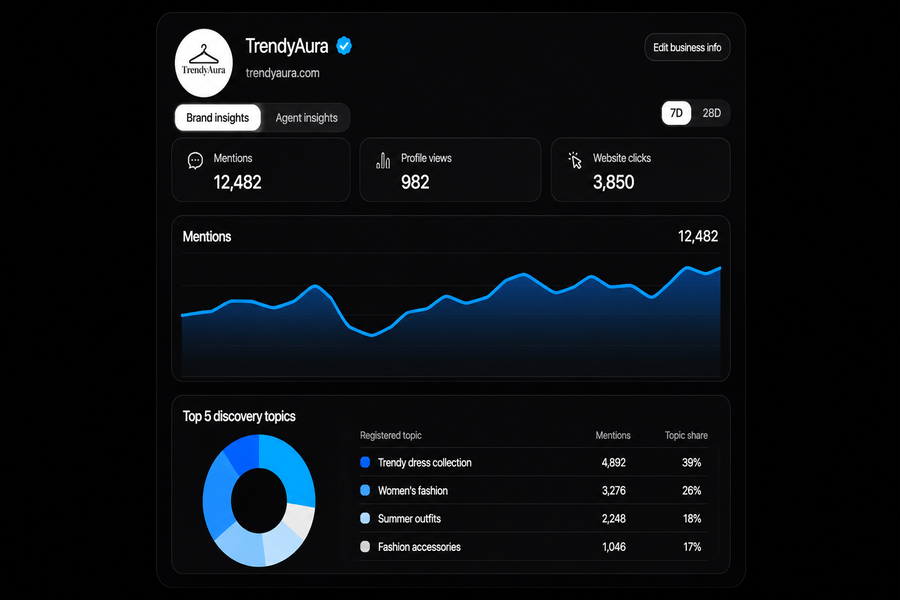
Another feature that caught my attention is the reporting section. Business Hub helps businesses see what people are saying about them in ChatGPT. These insights include
- How often a business is mentioned in chats.
- How times people click through to the business website from ChatGPT.
- Common themes or topics where people mention the business.
Before this it was hard to know how a business showed up in AI-generated responses. Now businesses can see where they appear and what topics are bringing people to them.
OpenAI made sure user privacy stays protected. Businesses cannot see conversations or chats with Business Agents. The data is always aggregated. It only appears when enough interaction has happened to protect identities.
What Are Business Agents?
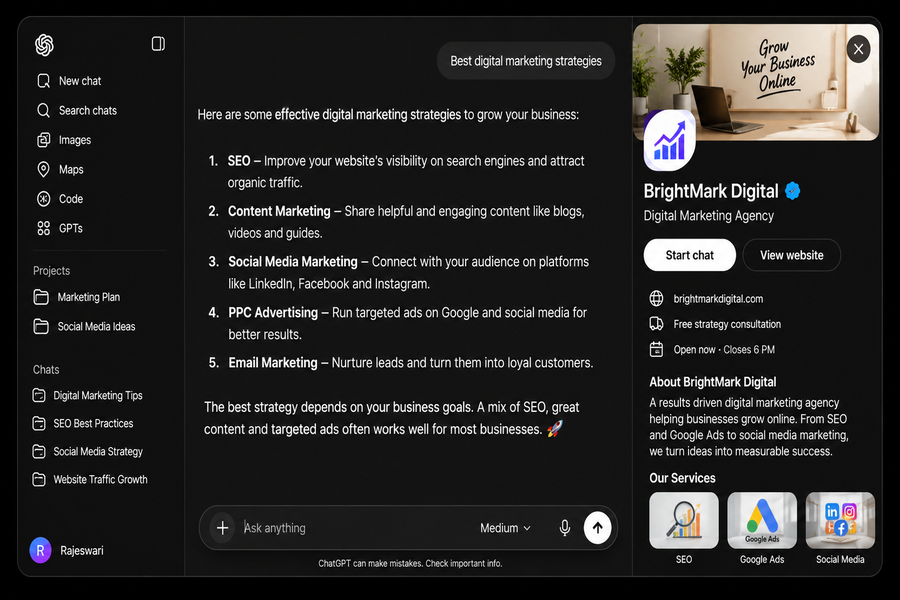
OpenAI is introducing Business Agents. These are AI- assistants that let businesses talk directly with potential customers inside ChatGPT.
For example, imagine someone wants to buy a laptop. They ask ChatGPT to compare two models. If one of those brands has a Business Agent the person can click on the company profile. Start a separate chat with the agent.
They can ask questions about features, pricing, availability or which model might be best for them. The Business Agent responds using information provided by the business. This gives customers a personalized experience and helps them understand the product better.
These chats are clearly labeled as Business Agent conversations. They stay separate from ChatGPT’s answers. Now Business Agents are only available to eligible e-commerce and online service businesses in the United States.
How Can Shopify Businesses Get Started?
OpenAI has made it easier for Shopify merchants to join. Eligible Shopify businesses can connect their store directly through the Business Hub. They can use their Shopify Catalog to share product data like prices, availability and product descriptions.
Once connected they can review their business information test their Business Agent and publish it when ready. This gives Shopify sellers a way to bring their products into ChatGPT.
Shopify merchants can connect their store by opening Shopify Admin and visit Sales channels go to Agentic. Then sign in to their ChatGPT account, authorize the connection and follow the instructions to claim business profile in Business Hub
Business Agents as Destinations for ChatGPT Ads
Businesses can also sponsor their Business Agents. This means they can use them as destinations for ChatGPT Ads. So, when a customer sees a sponsored ad in ChatGPT they might get a chance to start a conversation, with the business directly.
OpenAI says these sponsored placements will be clearly labeled. They will stay separate from ChatGPT’s responses. This is a step because it brings together business profiles, customer conversations and advertising inside the same platform. It shows how OpenAI is moving toward an integrated AI experience where businesses can control their presence and connect with customers in new ways.